Fluxo Casa · Shared home organization
Less to remember.
More organized, together.
Who does what, the next appointment, what’s missing from the grocery list. Bring tasks, calendars, lists, home maintenance and pet care into one place.
Start free · iPhone and iPad · 8 languages

Shared responsibility
Who does what? Everyone knows.
Home feels lighter when everyone can see their part. Try completing the tasks below and watch the routine move forward.
Tap a task to complete it.
Illustrative demo with fictional data. The screens below show the real app.
One home. Many responsibilities.
Share more than an address.
Organization works better when everyone knows what needs to happen. Every responsibility has a place in Fluxo Casa.
Everyone has a part to play
Tasks and routines by person. See what was completed, postponed or skipped.
One calendar for everyone
Family events and individual appointments, with clear times and responsibilities.
Lists that go with you
Groceries, school supplies and other plans. Check off items and see what’s still needed.
Your home needs care, too
Record gas, filters, replacements and maintenance. Check the history when you need it.
Pets are family
Organize care, health information, documents and vaccination records.
Recognize everyone’s effort
Points, achievements and rankings help recognize each person’s contribution.
Money with context
Set a budget and category goals. Administrators track expenses and the month’s remaining budget.
Tell AI about your plans
Describe your day and get task suggestions to review. AI usage depends on your plan.
Watch your routine grow
A 30 or 90 day view of completed tasks, mood, pending lists and household care.
Screenshots · iPhone / iPad
Your day belongs here.
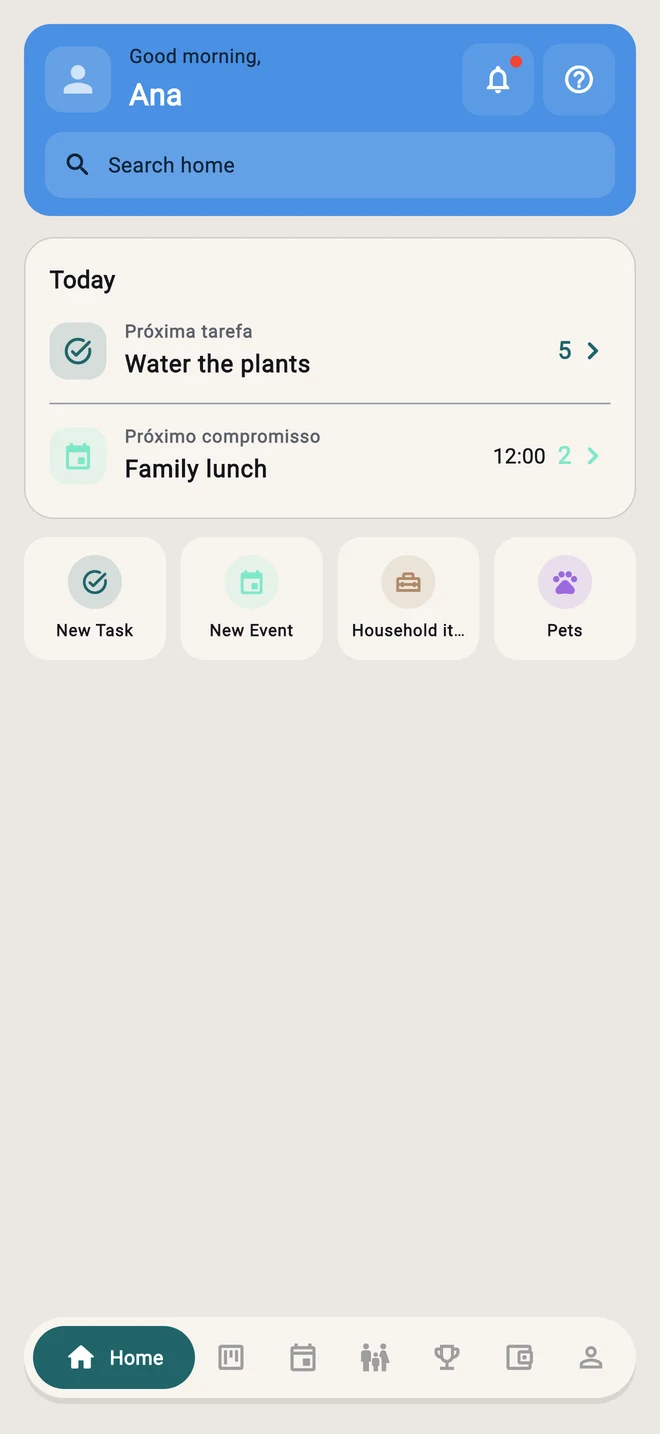
Real app screens, with a fictional family to show how it works.
Family tasks, appointments and care. Find what you need and see what comes next.
Pricing
Start with everyday life.
Use free features and choose a plan when it makes sense for your family.
Free
Free
Everyday essentials, with ads
- Tasks and routines
- Shared calendar
- Family lists
- Household items and pets
- Points and achievements
Premium
Ad-free or unlimited AI
See in app
- Ad-free plan: organize without advertising
- Web access with paid plans
- Unlimited AI plan: includes AI features
- Monthly or annual subscription options
Prices, features and terms are shown in the app. Offers depend on eligibility. Manage your subscription in your device Settings.
Web app included in Premium
Subscribe to any Premium plan and manage your home from a browser too — same account, same family, no extra cost.
Questions
Frequently asked questions
Can't find it? Reach out to support.
Can I start for free?
Yes. The app offers free features with ads. Paid plans provide ad removal, web access and AI options, depending on the plan. Check terms in the app.
How does my family join?
Create a family in the app and invite the other people. Share responsibilities, appointments and lists, with a clear person responsible for each task.
What changed in version 1.5?
The experience separates tasks from appointments. Home brings together your daily summary, Calendar organizes times, and household and pet care have their own places.
Do I need an internet connection?
Yes, to load and sync shared data. The app reports connection problems. Do not rely on offline editing or automatic later synchronization.
Can I organize pet care?
Yes. Add pets and organize care, health information, documents and vaccination records. These records help with organization and do not replace veterinary advice.
Can I use it in a browser?
Web access is available with paid plans, using the same account. Check the plan and its features in the app before subscribing.
How do I cancel a subscription?
On iPhone or iPad, open Settings → your name → Subscriptions and select Fluxo Casa. Access follows the subscription terms and period.
How do I contact support?
Send your question to adm.desenvbr@gmail.com.
Everyday life is lighter when you share it.
Start with the next task. Invite the people who share your home and organize your day together.